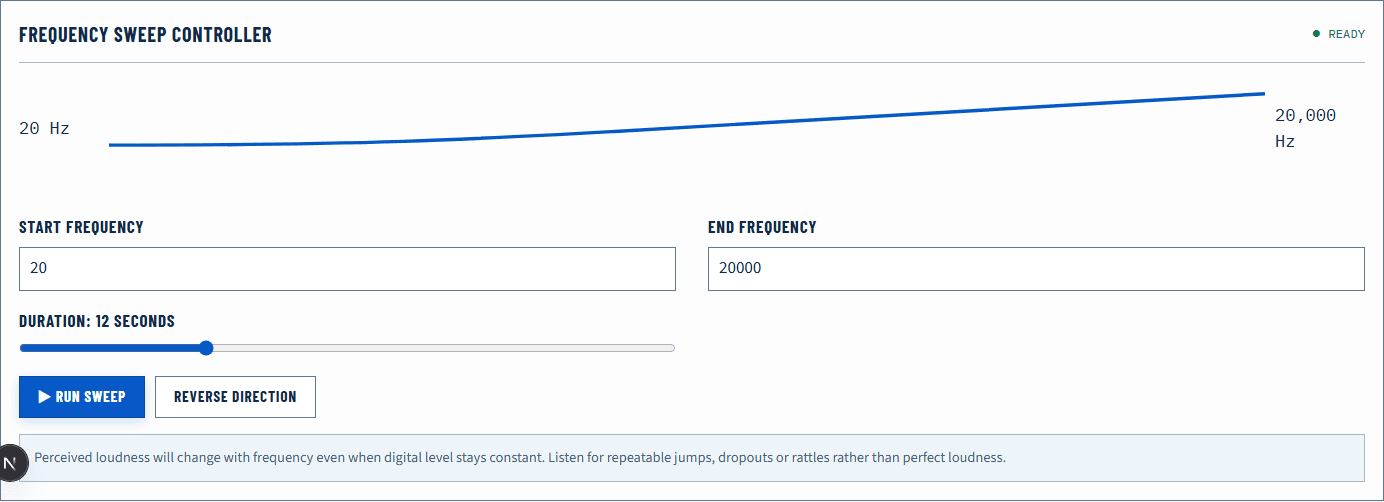
The phrase “20 Hz to 20 kHz” is often used as a broad reference for human audible frequency, not a pass/fail requirement for every person or playback device. A browser frequency test can reveal repeatable changes, rattles, dropouts, and room effects. It cannot separate your hearing, the speaker, the room, and the playback chain into calibrated measurements.
Quick answer
Start at low volume and open the Frequency Sweep. Listen for smooth changes, sudden dips, rattles, or a side that behaves differently. Use the Tone Generator to revisit a narrow region at a safe level, and the Bass Test for low-frequency checks. Stop immediately if the signal is uncomfortable. Do not use the result as a medical hearing test.
Extremely low and high tones can be inaudible while still driving equipment. Never compensate by quickly raising volume, especially with headphones or tweeters.
Set up a safe baseline
Use moderate or low system volume and disable strong EQ boosts for the first pass. Place speakers symmetrically and remove loose objects that may rattle. With headphones, check fit and seal. Run the Speaker Test first so you know the route and both channels work.
Start the sweep in a comfortable midrange rather than proving the extremes. If the midrange is already loud, lower the level before continuing. A sweep should be a brief observation, not a long endurance signal.
Keep your listening position fixed. Moving through a room can change bass dramatically because direct and reflected waves combine differently at each point.
What frequency means
Frequency describes cycles per second and is measured in hertz. A 100 Hz periodic signal completes 100 cycles each second; a 10 kHz signal completes 10,000. Frequency is related to perceived pitch, but real sound also includes level, duration, harmonics, and changing spectra.
The 20 Hz to 20 kHz range is a convenient convention. Individual perception varies with age, exposure, level, and other factors, and consumer playback devices rarely reproduce every frequency at equal acoustic level. A product specification stating a wide range also needs a tolerance and measurement method to describe flatness meaningfully.
Do not confuse frequency range with sample rate. A 48 kHz sample rate describes how digital samples are processed, not a promise that a speaker reproduces 24 kHz acoustically. Read 44.1 kHz vs 48 kHz for that distinction.
Run the sweep and record observations
Play one slow sweep at a safe level. Note the approximate region where an observation begins rather than chasing an exact single number immediately. Useful observations include:
- a cabinet or desk rattle that appears in a narrow bass band;
- a broad bass rise near a wall or corner;
- a sudden left/right difference;
- a gap that repeats at the same frequency;
- distortion that appears only when level increases;
- the subjective point where a high tone is no longer audible.
Repeat once at a slightly different listening position or with another device. A dip that changes with position is likely influenced by the room. A rattle that follows one speaker to another location points toward that speaker or a nearby object.
Interpret the result carefully
| Observation | Possible contributors | Best comparison |
|---|---|---|
| Deep bass is absent | Device extension, seal, room cancellation, safe-level threshold | Reseat headphones or move speaker/listener slightly |
| One bass note booms | Room mode, corner loading, desk resonance | Change position and repeat at lower level |
| Narrow rattle repeats | Cabinet, grille, desk, cable, nearby object | Touch or move non-driver objects safely, then retest |
| High frequencies fade gradually | Device response, playback level, personal perception | Compare another known device; do not raise level sharply |
| One channel differs | Fit, placement, balance, driver, or cable | Use the Left and Right Audio Test |
| Distortion grows with level | Gain clipping, amplifier limit, or mechanical stress | Lower every gain stage and repeat briefly |
The table lists contributors, not diagnoses. A browser signal cannot identify which physical component caused the result.
Speakers, headphones, and rooms behave differently
Headphone bass depends heavily on seal. A small gap from glasses, hair, or an unsuitable ear tip can reduce low-frequency output. Repositioning can therefore change the result without any electrical setting.
Speakers interact with the room. Boundaries can reinforce some frequencies, while reflections produce peaks and cancellations. A measurement at one seat does not describe the entire room. The browser also lacks a calibrated measurement microphone and reference level, so visual microphone spectra are comparative rather than laboratory response curves.
Small speakers may generate harmonics or port noise that make a low test tone seem audible even when the fundamental is weak. Hearing “something” at 30 Hz does not prove flat 30 Hz reproduction.
Avoid using a sweep as a hearing test
Audibility depends on output level, device response, seal, room, background noise, and the listener. Without calibration, the test cannot determine a hearing threshold. Do not compare the point where two people stop hearing a tone as a medical result.
High-frequency tones can be uncomfortable and may affect others, children, or animals in the area even when you perceive little. Use short, low-level tests and stop if anyone is distressed. Seek qualified care for hearing concerns instead of repeating louder sweeps.
Browser and hardware limits
The Web Audio oscillator can generate a digital periodic signal within the browser audio context. The operating system may resample it, the converter and amplifier shape it, and the physical transducer and room determine the acoustic result. A displayed frequency is the requested digital oscillator frequency, not a calibrated acoustic measurement at your ear.
At the extremes, device protection, codec behavior, or processing may filter the signal. Bluetooth and spatial processing add further stages. Use a wired, processing-minimal route when you need the cleanest comparison.
Verify a change
After moving a speaker, reseating headphones, removing an EQ boost, or lowering gain, repeat the same short sweep at the same master level. A rattle that disappears after moving a loose object is useful evidence. A bass dip that moves when your seat moves is room-dependent evidence.
Finish with familiar music or speech at normal level, but keep the controlled result separate from preference. A flat-looking test is not automatically enjoyable, and an enjoyable system does not need to make every extreme tone equally audible.
Official sources
Application and operating-system controls can move. These primary references are the update baseline for this guide.